 Cozy Aquarium
Available now on Chrome
Cozy AquariumSmall daily wins.
A world that grows
with you.
A gamified habit tracker and virtual aquarium for Chrome. Turn everyday goals into a living ocean sanctuary, one little step at a time.
A little progress. A little peace.
There is room to start small
A glass of water.
A moment of focus.
A little world to come back to.
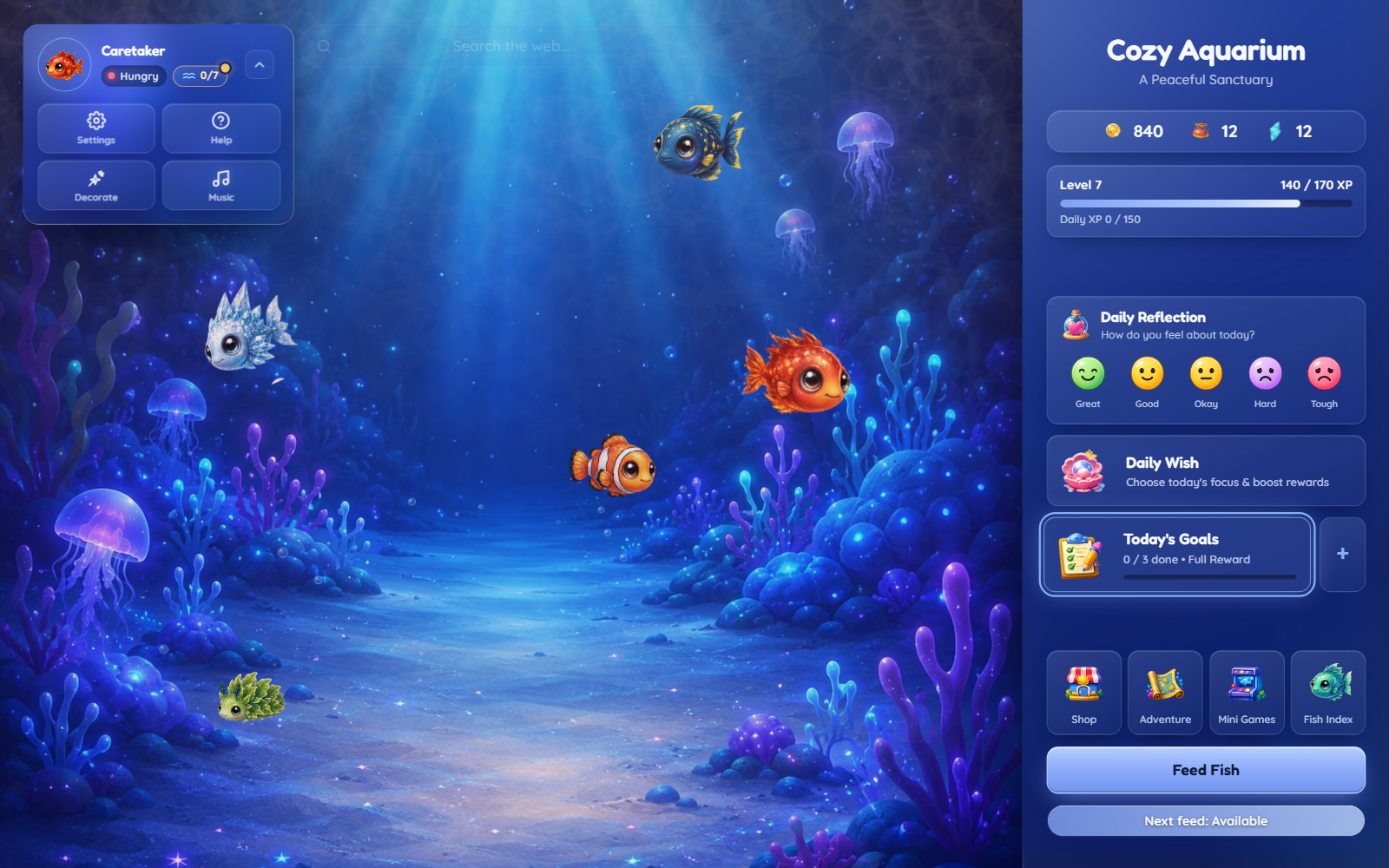
Cozy Aquarium gives everyday goals a playful connection to something you care for. Add a task, enjoy a small win, and put your in-game rewards toward an aquarium filled with companions and details you love.
01 / Everyday progress
Make room for
a small win.
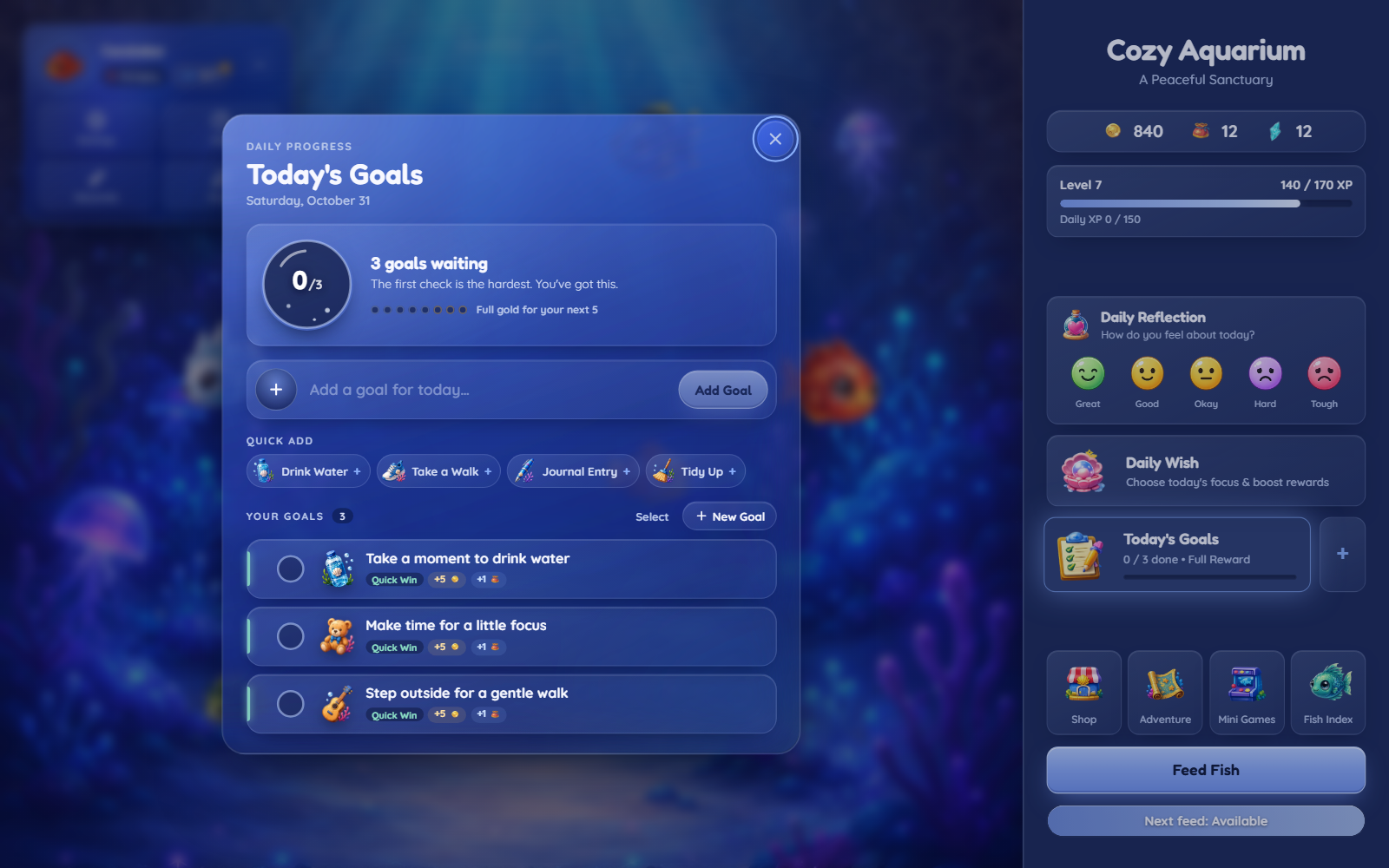
Track daily tasks that matter to you, from drinking water to finishing a study session. Add your own goals or begin with a quick suggestion.
For bigger plans, Adventures turn a goal into smaller milestones. Start from a template or build a journey of your own.
02 / Meet your companions
A little care.
A growing collection.
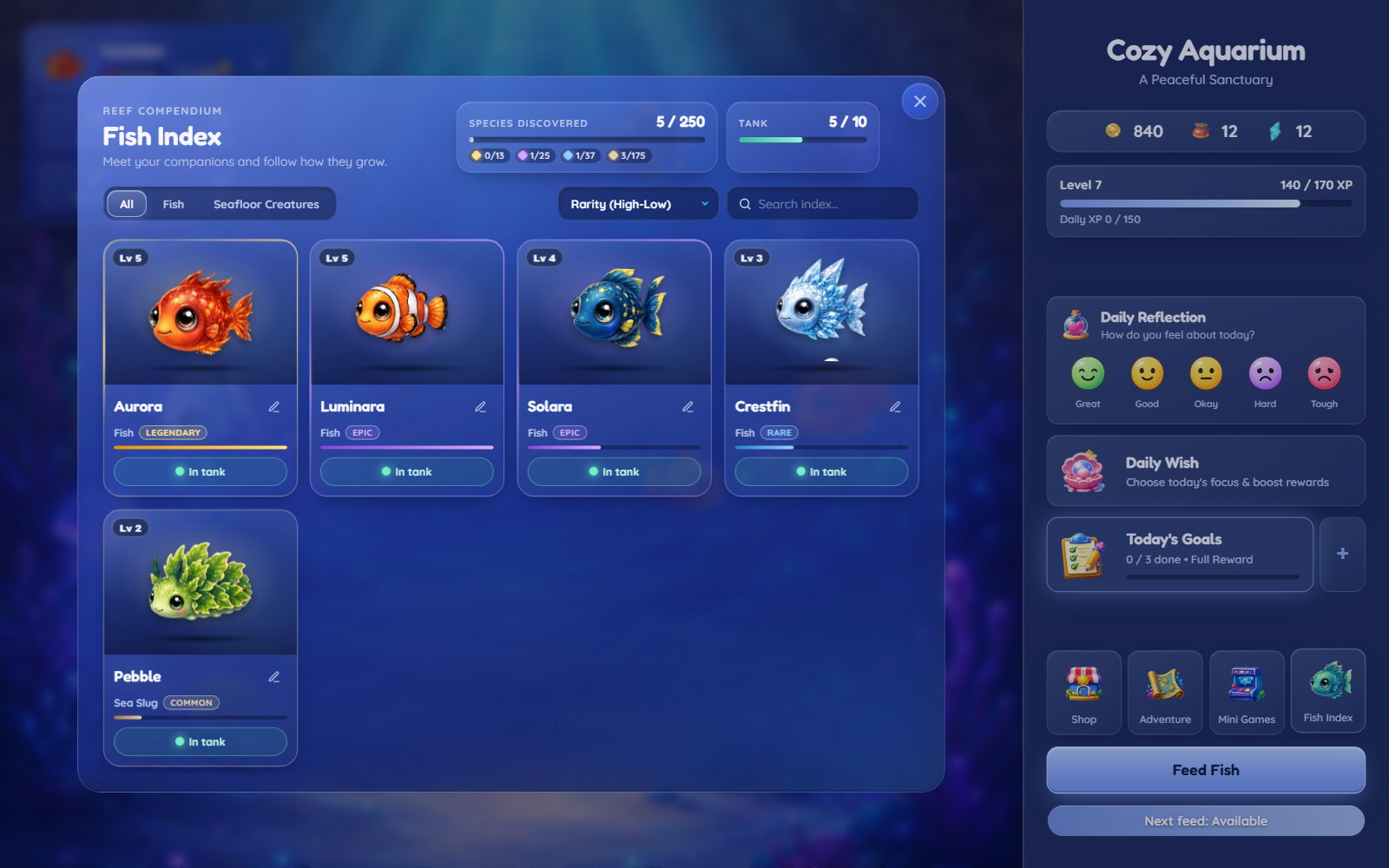
Hatch an egg and see who arrives. Give your creatures names, feed them, and watch them level up as you discover companions of different rarities.
The Fish Index keeps their names, levels, and details together. Choose which creatures join you in the tank and let your sanctuary take on its own personality.
03 / Find your kind of cozy
Your sanctuary.
Your little details.
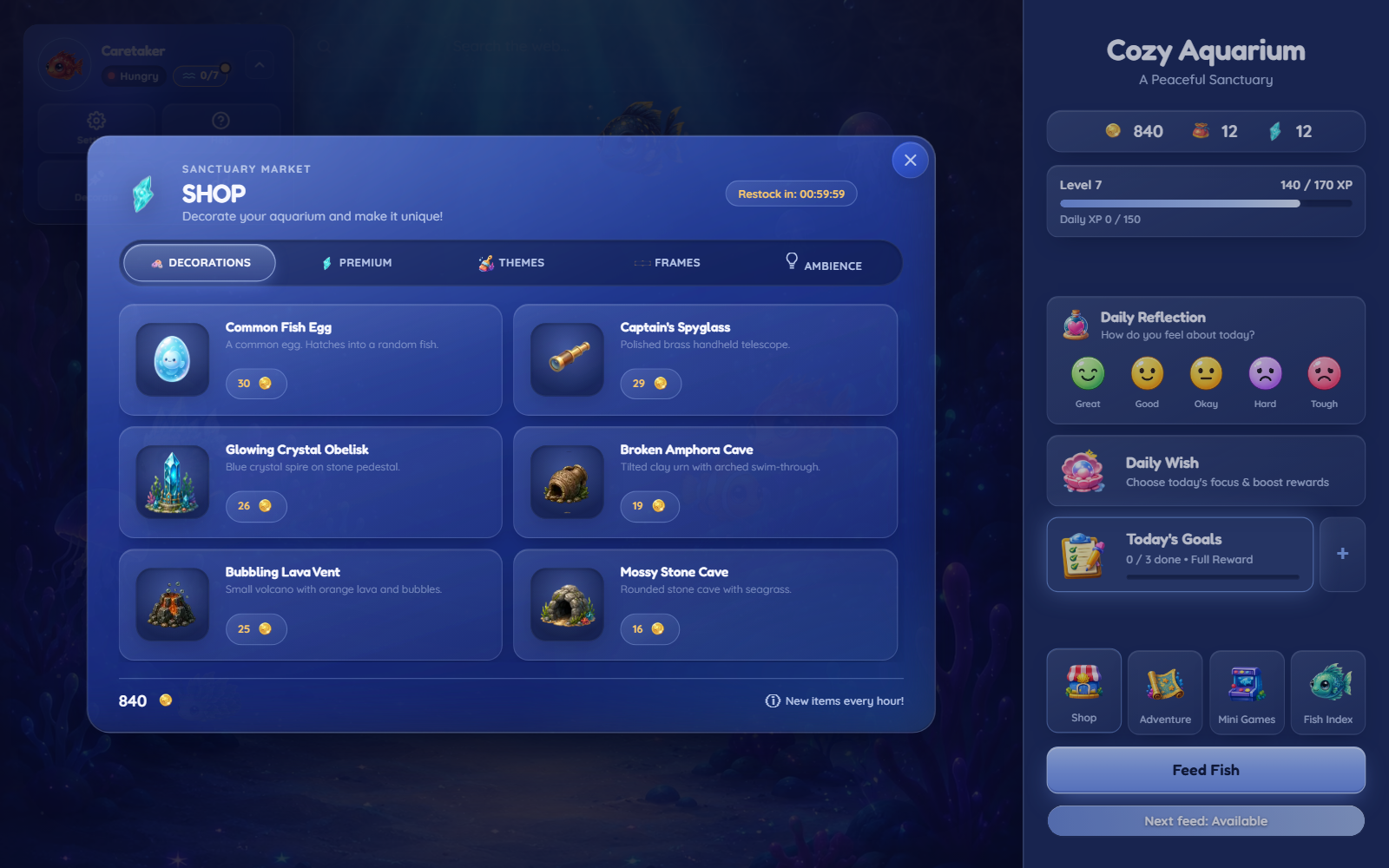
Use the rewards you earn to discover new eggs, explore decorations, and find a theme that feels like home. Customize your profile and settle in with adjustable music and visual preferences.
Some days, a new companion is the reward. Other days, it is simply enjoying the world you have already made.
04 / A playful detour
Take a break
beneath the waves.
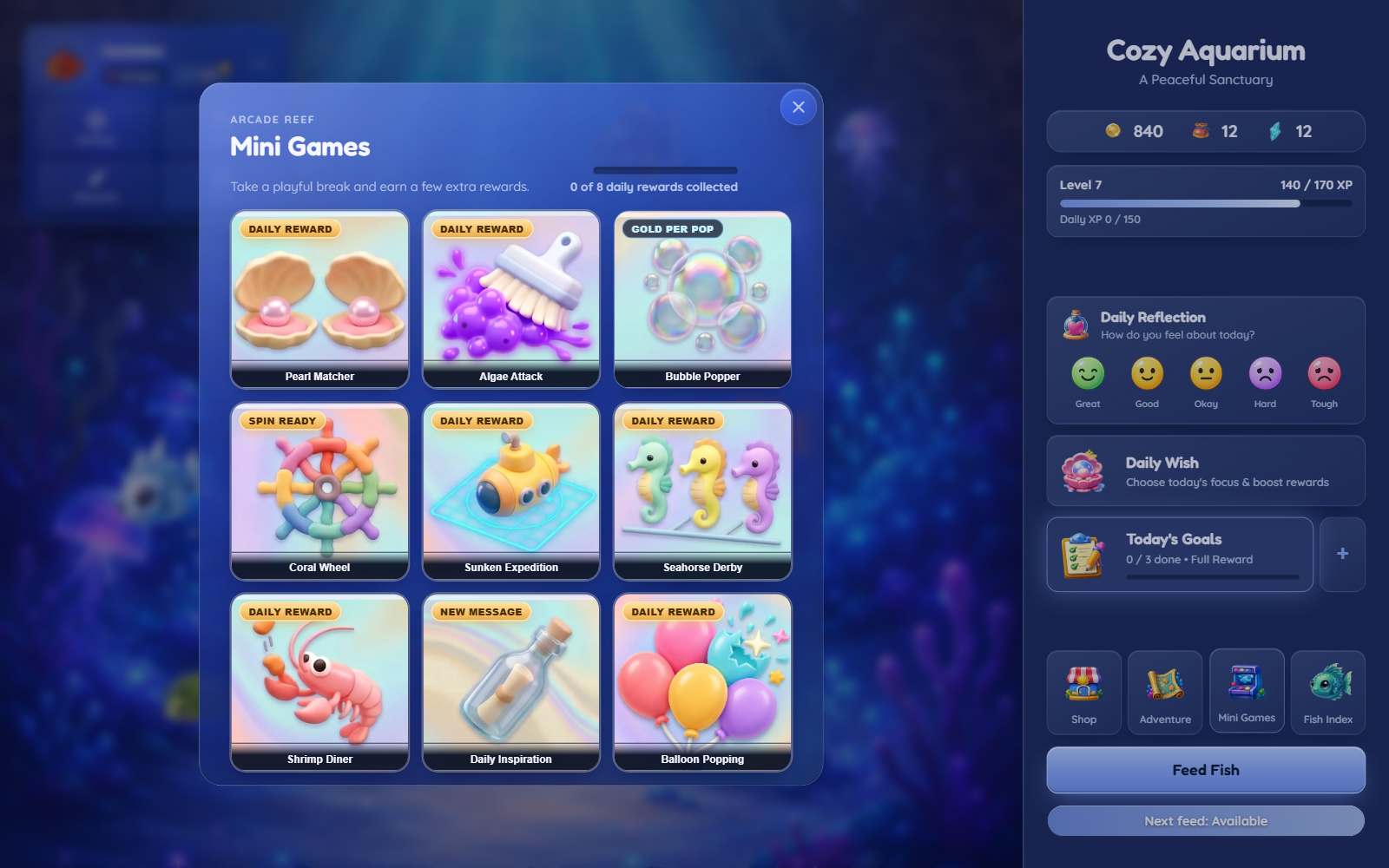
Match pearls, pop bubbles, cheer on a seahorse, or explore a sunken expedition. Discover a collection of mini-games and a daily message of inspiration, all within your aquarium.
Earn extra in-game rewards where available, then return to your sanctuary whenever you are ready.
A gentler daily rhythm
Progress that
stays close.
Check in with your daily reflection and choose a focus for the day. Your aquarium offers a comforting place for small routines, study goals, work tasks, and creative projects.
Saved in your browser
Your progress is saved in your browser profile and mirrored through Chrome Sync when available, subject to its storage limits.
A little safety net
Export and import backups, or use automatic backup snapshots. Aquarium activities can run offline after installation; syncing and opening external destinations require a connection.
Submitting a query through the aquarium's web search opens Google. Consult the official Chrome Web Store listing for the extension's privacy information and permission disclosures.
Good to know
A few things
before you dive in.
What is Cozy Aquarium?
Cozy Aquarium is a Chrome extension that combines a gamified habit and daily goal tracker with a virtual aquarium. Complete tasks, earn in-game rewards, hatch and care for sea creatures, and personalize your underwater sanctuary.
Can I install Cozy Aquarium now?
Yes! Cozy Aquarium is available on the Chrome Web Store. Add it directly to Chrome from the official listing.
Who is Cozy Aquarium for?
It is designed for people who enjoy cozy games, collecting creatures, and a playful way to keep track of everyday goals in Chrome. It can suit small self-care tasks, study goals, work tasks, or creative projects.
How do goals connect to the aquarium?
Completing goals earns in-game rewards that help you care for and grow your aquarium. Adventures let you divide bigger goals into smaller milestones.
Can I customize my aquarium?
Yes. Choose your active companions, explore decorations and themes, and customize your profile as you progress.
Does Cozy Aquarium work offline?
The aquarium and its bundled activities can run offline after installation. Chrome Sync and external destinations, including web search, require an internet connection.
Where is my progress stored?
Progress is saved in your browser profile and mirrored through Chrome Sync when available, subject to its storage limits. Backup export, import, and automatic snapshots provide additional ways to keep your progress.
Is this an open-source extension or a download page?
This is a product showcase. The extension's source code and distribution package remain private. Install it through the official Chrome Web Store listing.
Your little ocean is ready
Available now
on Chrome.
Small daily wins. A world that grows with you.
Add Cozy Aquarium to Chrome ↗Get Cozy Aquarium directly from the official Chrome Web Store.